macOS app Version 0.4.0
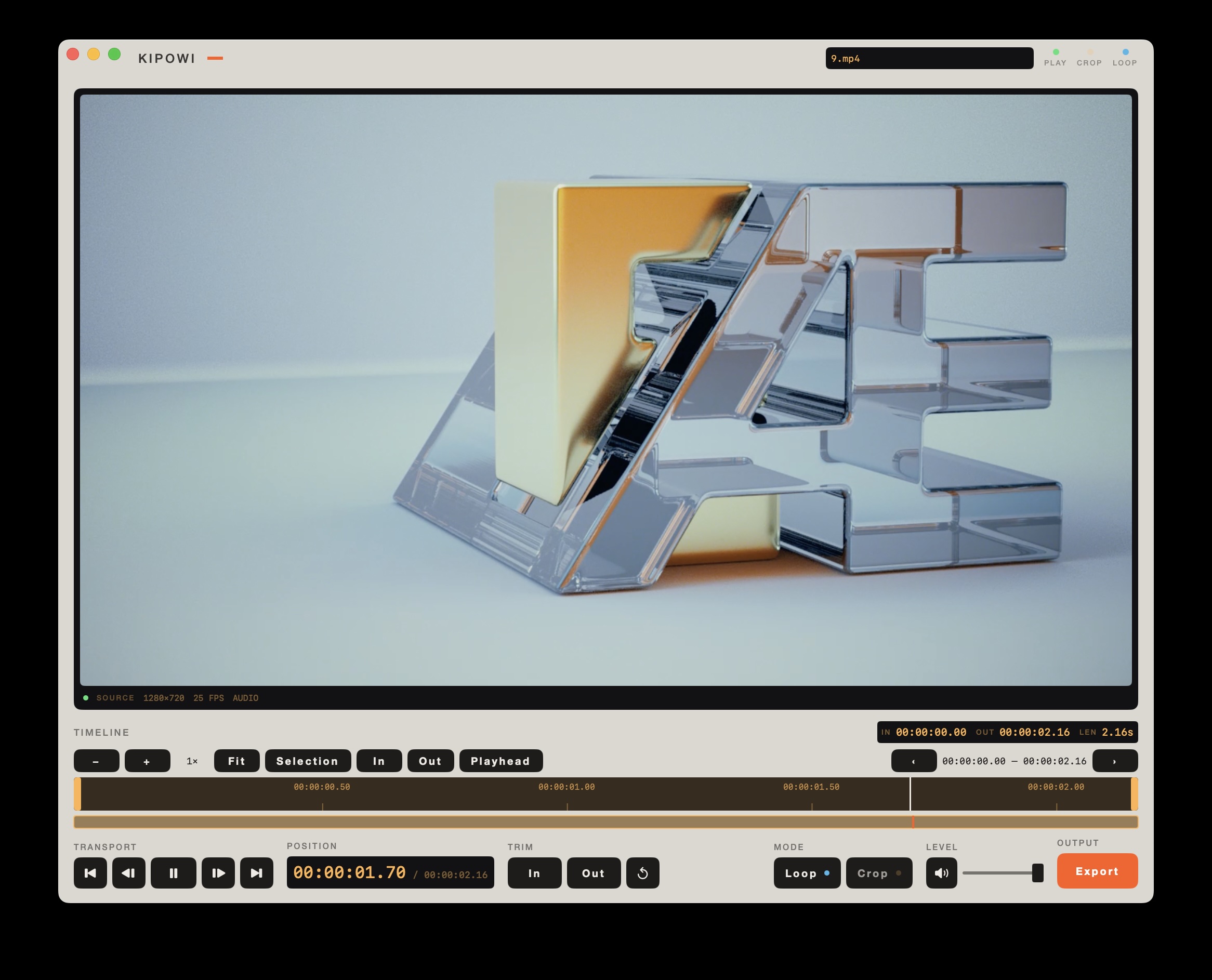
A player for video and audio that can also cut and export. Open a file, set an in and out point, and write out exactly that part as MP4, MOV, GIF or audio. It plays MKV, which macOS will not, with nothing extra to install. Single images open in a small editor with background removal.
What it opens
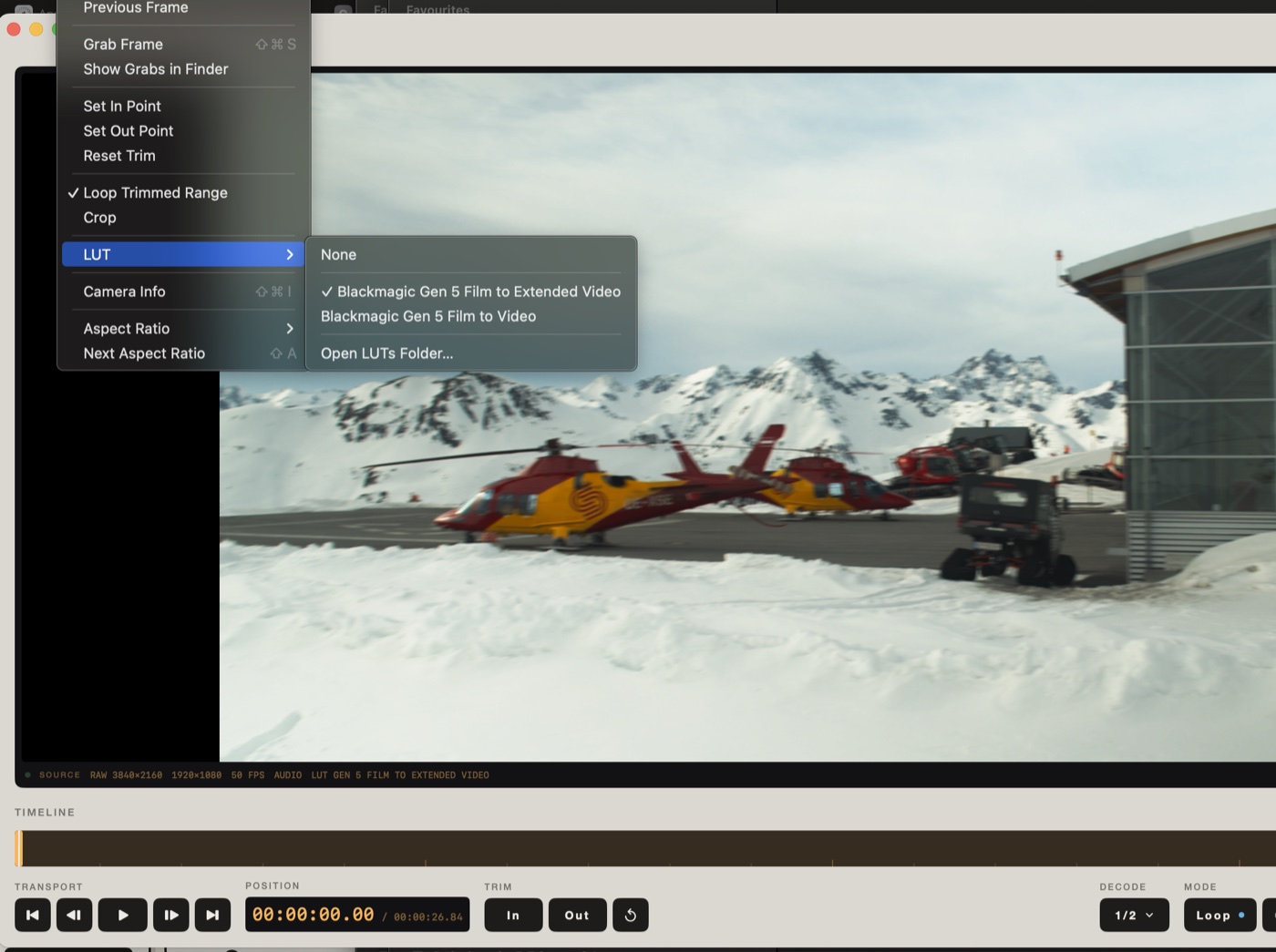
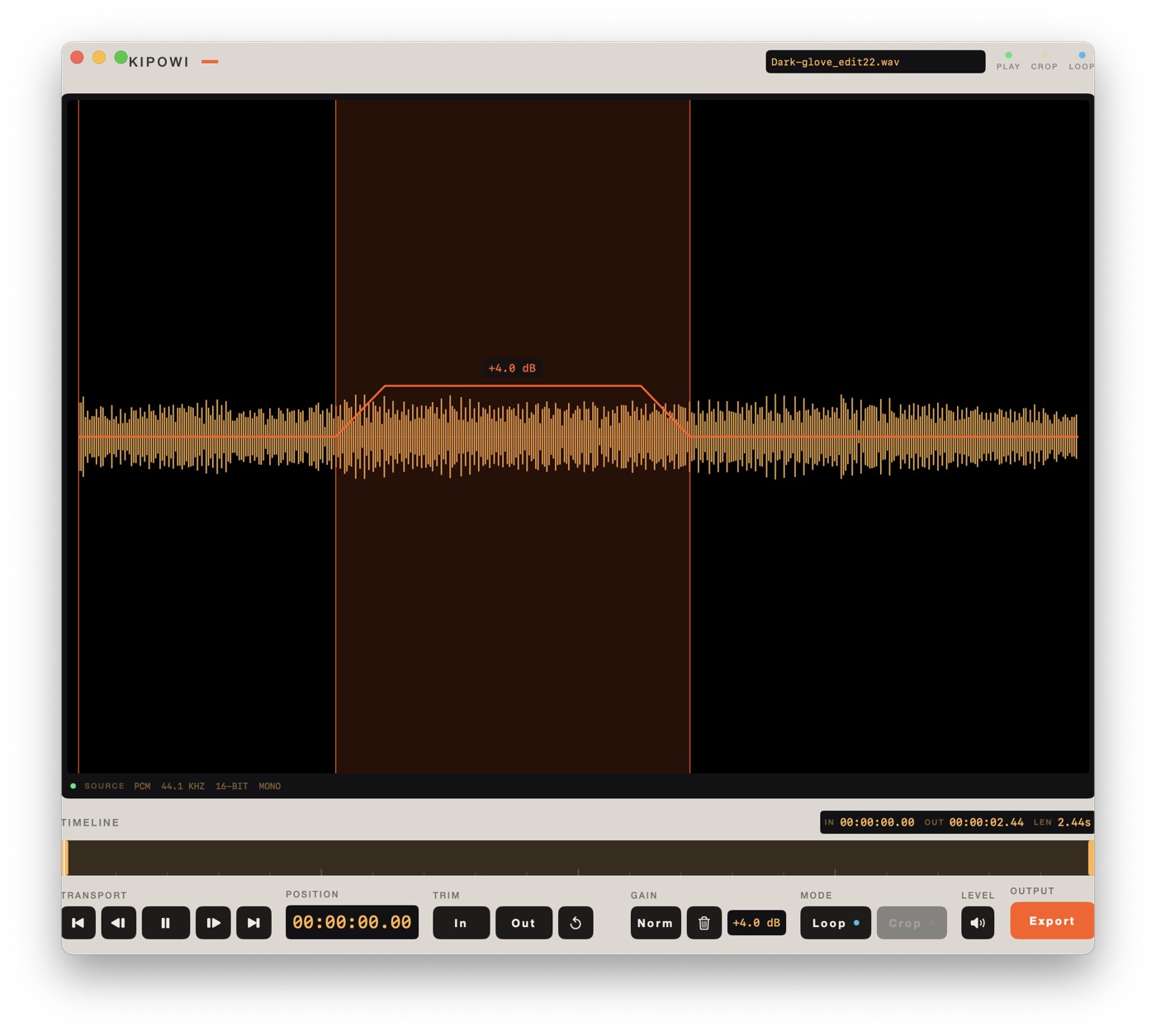
Alongside ordinary video and audio it also reads MKV, Blackmagic RAW, folders of numbered frames, and single images. Every source gets the same transport, the same trim handles and the same export panel. What changes is only what genuinely differs: an audio file has no crop, a RAW clip gains a decode-quality control, a folder of frames is asked the one thing stills cannot tell you, which is the frame rate, and a single image has no transport at all because it has no length, so it gets an image editor instead.


Edits
The timeline zooms, which is not a fourth edit but is what makes the first one usable
on a long film. Pinch it, or press + and −, until a handle
can be placed on the frame you actually meant. Fit puts the whole movie back, and the
overview strip underneath pans you around without moving either the trim or the
playhead.
Images
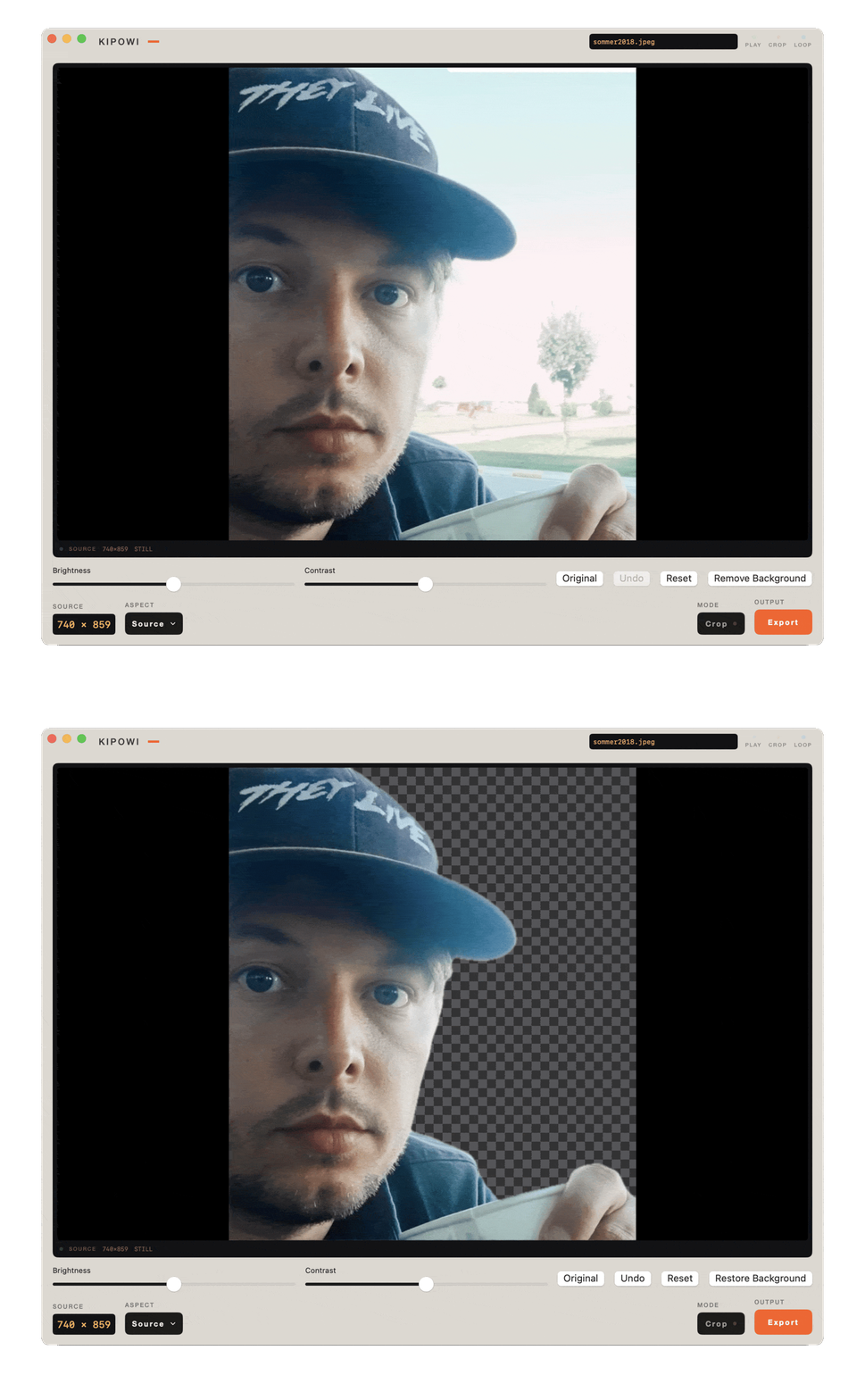
Open one image and Kipowi is an image editor. Crop it, adjust brightness and contrast, and remove the background. Original shows the picture you started with, Undo steps back, and Reset returns to the untouched file. Export writes a new file: PNG, TIFF or TGA, at full or half size.
Remove Background runs on your own machine, through Apple Vision. Nothing is uploaded and there is no model to download first. What it cuts away shows as a checkerboard, the cutout exports as a transparent PNG, and Restore Background puts it back.
Export
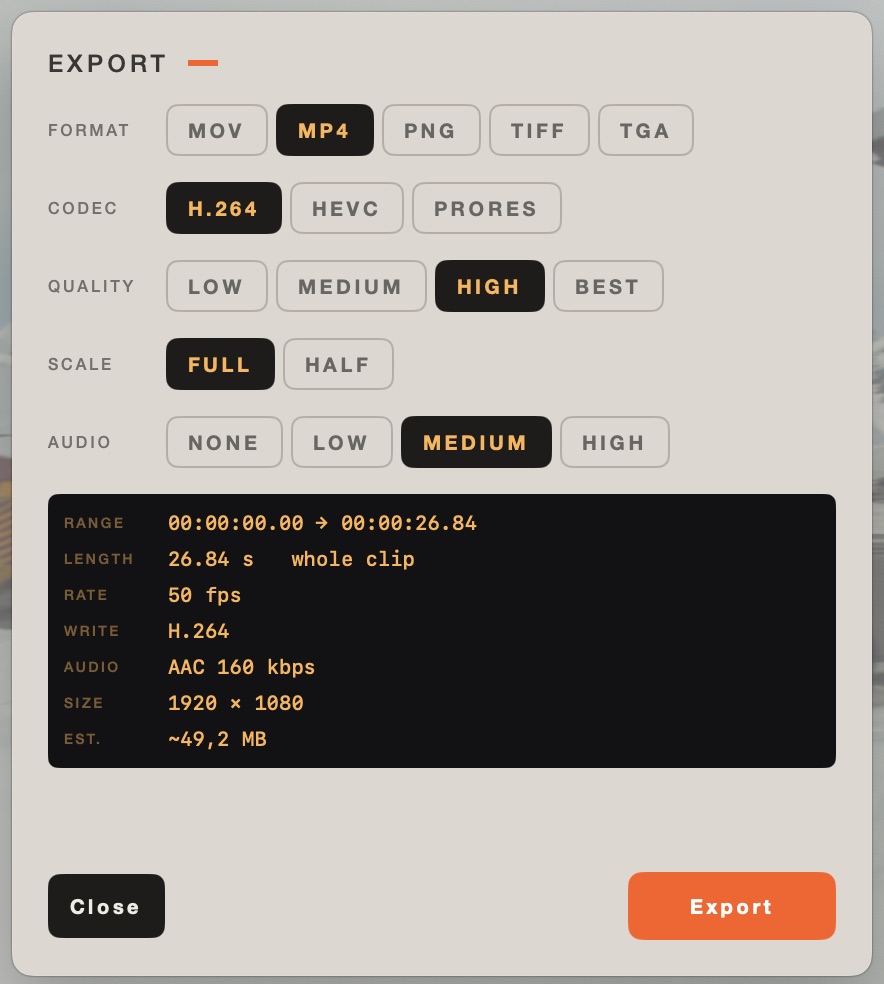
The panel states the range, frame rate, output size and estimated file size before it starts, and hides every control that has no meaning for the file in front of it. An audio file is not asked about codecs. A frame stack is not asked about audio.
Limits
Under the hood
Decoding and encoding live in a library with no interface, driven by an AVAssetReader and AVAssetWriter pipeline rather than a canned export preset. That is what lets codec, container, crop and scale be chosen independently instead of picked off a fixed list. Orientation, crop, scale and output cadence resolve in one shared place, so the movie exporter and the frame-stack exporter cannot disagree about framing.
The same engine has a command-line front end, which is also how the export paths are tested. 55 unit tests cover decode, export, LUT parsing, geometry and grabs.
Download
Open the disk image and drag Kipowi to Applications. It is signed with a Developer ID certificate, notarised by Apple and stapled, so it opens without a Gatekeeper warning even on a machine that is offline.
Needs macOS 14 or later. Universal for Apple silicon and Intel. The download is 68.4 MB, most of which is the MKV decoder and the encoders — that weight is the reason there is nothing to install alongside it. No VLC, no FFmpeg, no Homebrew, no codec pack.
0.4.0 adds the image editor, with background removal that runs on your own machine. If something is wrong, tell me.
Kipowi carries VLC, VLCKit, FFmpeg and LAME inside the app. Their licences require the matching source to be available next to the binary, so it is: Kipowi-0.4.0-Sources.tar.xz (216 MB), with the patches, dependency sources and build recipes.
You do not need it to run Kipowi. The notices themselves are in the app under Kipowi › Media Component Licenses.